
HR Shared Services
HR shared services software: run it as an operation, not an inbox
You are judged on four numbers: how much volume never reaches a person, how much of the rest closes at first contact, whether service levels hold in peak weeks, and what a case costs to handle. HR shared services software should give you all four without a reporting project. The practical guide to HR case management sets out how teams tier the work to get there.
#1
Five consecutive years, enterprise HR service delivery
Sapient Insights 2025-2026 HR Systems Survey, 28th edition. 10,000+ HR professionals across 4,670 organizations. See the rankings
8 months
Payback period, fastest in the category
G2, reported April 2025. Against an industry average of 14 months. See the announcement
6 of 6
First places in the enterprise segment
Three HR service delivery categories, each scored separately on user experience and on vendor satisfaction. Enterprise, 5,000 or more employees.
The tiered model
What each tier is for, and what it should be absorbing
The numbers below are published by the customers named, not modeled. They are what the model looks like when it is working.
Tier 0, self service
Knowledge and an employee portal answering the question before a case exists. At Old National, a portal with more than 450 articles absorbs 47% of inquiries before anyone in HR sees them. At Lenovo, knowledge plus AI chat resolves 87%.
47% to 87% absorbed
Tier 1, first contact
Routing, templates and the employee record at the point of resolution, so the first person to open it can usually close it. Lenovo runs 60 tier 1 staff across four centers handling 13,000 cases a month, fixing 96% at first contact against a 92% target.
96% first contact fix
Tier 2 and 3, escalation
Escalation that carries the history and the permissions with it. Only 4% of Lenovo cases go past tier 1, around 520 a month. Northside handles 300 cases a day and clears 400 to 500 through open enrollment without a backlog.
4% escalated
The numbers you defend
Volume and handle time by tier, first contact resolution, service level attainment by owner and type, and cost per case. 84 reports on day one, and managers see only their own teams.
84 reports day one
Service levels
The clock only means something if it stops when it should
Most shared services teams miss service levels on cases that were never theirs to move. A case waiting on the employee, on payroll or on a third party is still counting against you in a shared inbox and in most trackers.
In Dovetail the case status drives the clock. Move a case to awaiting the employee or awaiting a third party and the clock stops, then resumes when it comes back to you. Work calendars set the working week per site and per user, and non working schedules capture public holidays and shutdowns, so a five working day target means five working days at that location rather than five calendar days measured from Austin.
That is the difference between a service level you can publish to the business and one your team quietly stops believing in.
Employee Relations
When a service request becomes a formal matter
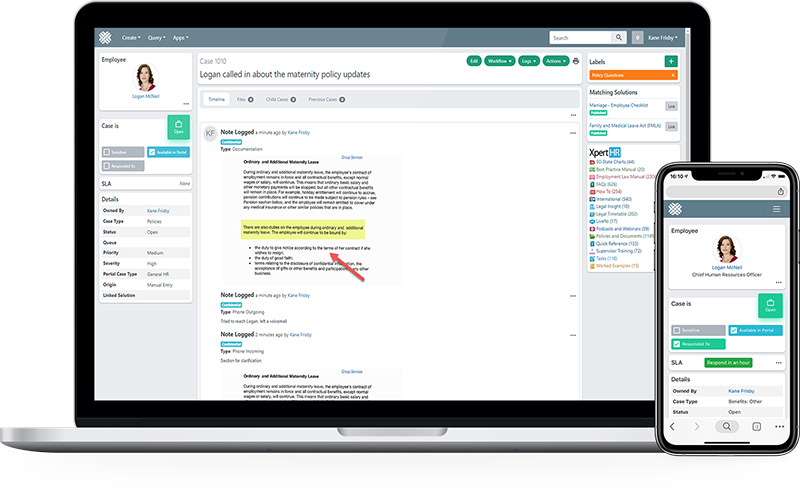
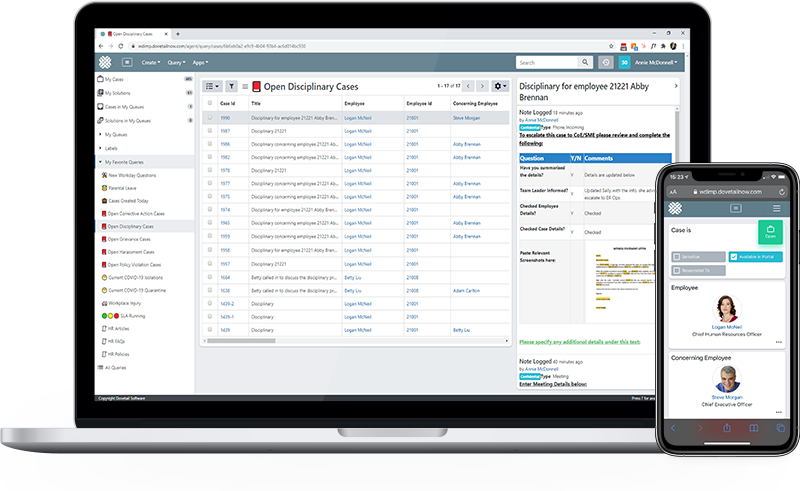
Some cases stop being service requests and become formal matters. Dovetail keeps the documentation defensible from the first contact rather than reconstructing it later.
- Sensitivity controls and restricted visibility
- Full audit timeline on every action and actor
- Structured documentation for grievances, disciplinary and investigation
- Reporting on case types, outcomes and cycle time
Common questions
How do you measure cost per case?
Handle time by tier multiplied by your own loaded hourly cost, divided by cases closed. Dovetail gives you the handle time and the volume by tier. The loaded cost is yours, and it is the number finance will argue about, so it is better that it comes from them.
What happens to service levels when a case is waiting on someone else?
The clock stops. Case status drives the service level clock, so a case moved to awaiting the employee or awaiting a third party is not counting against you, and it resumes when the case comes back. Work calendars set the working week per site, so targets in working days mean working days at that location.
Can managers see reporting for their own teams only?
Yes. Reporting respects the same restrictions as the case list, including sensitive case handling, so a manager sees their own team and a restricted case does not appear in a scheduled export to someone who cannot open it.
We run two service centers. Does that work?
Yes. Queues, work calendars and routing are set per site, so each center has its own working week, its own queues and its own service level clocks, while reporting rolls up across both.
What happens in peak weeks like open enrollment?
Volume goes up and the tier model absorbs it if tier 0 is doing its job. Northside handles around 300 cases a day and clears 400 to 500 a day through open enrollment without the backlog it used to carry. Cases can be put on hold, reassigned or moved to a queue, so specialists manage their own workload rather than the queue managing them.
How long before we can report on any of this?
84 reports are available on day one, including service level violations by owner and by case type. There is no BI project and no data warehouse step before you can answer a question from the business.
See the tiered model running
Bring your current tier definitions and we will map them.