
HR Help Desk
HR help desk software built for HR, not borrowed from IT
Most HR help desks are a shared mailbox, a spreadsheet, or an IT ticketing tool somebody repurposed. All three break at the same point: the moment you need to prove what happened, how long it took, and who handled it.
#1
Five consecutive years in HR Service Delivery
Sapient Insights 2025-2026 HR Systems Survey, 28th edition. 10,000+ HR professionals across 4,670 organisations.
8 months
Payback period, fastest in the category
G2 payback metric, against a category average of 14 months.
3 of 3
Enterprise categories ranked #1
HR Service Delivery Help Desk, Portal and Content Management. A clean sweep.
What you are probably running today
Three starting points, one destination
A shared inbox
No ownership, no SLA, no history, no reporting. Two people answer the same question differently and nobody finds out.
Most common
A spreadsheet tracker
Manual, unauditable, and a data protection exposure the moment it holds employee relations detail.
Second most common
Repurposed IT ticketing
ServiceNow, Zendesk or Freshservice adapted for HR. Works until the casework gets sensitive or HR needs to change something.
The one we replace
What an HR help desk actually needs
A ticket is not a case
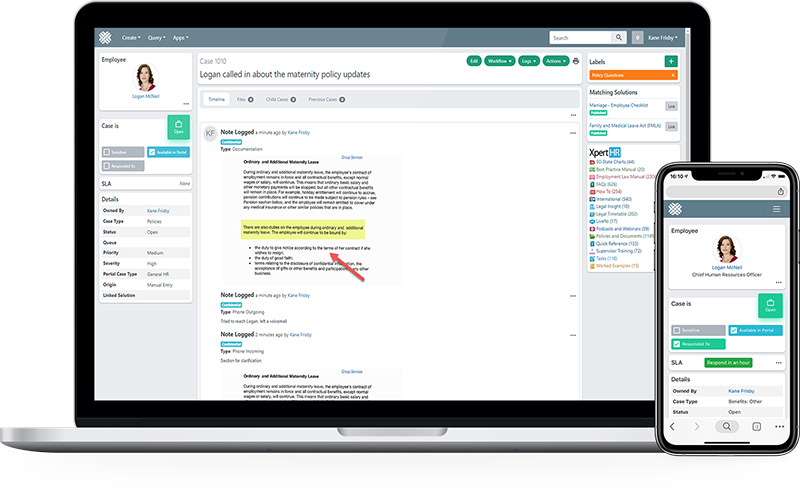
IT ticketing models a requester and a subject line. HR service delivery models a person, their employment context, their history, and a record that has to stand up later.
- Employee context in the case: job, manager, location, prior cases, live from your HCM
- SLA clocks and escalation built around HR service levels, not IT priority matrices
- Knowledge search inside the case, so the same question is not solved twice
- Restricted visibility for employee relations matters, separate from general HR volume
- An audit timeline that survives an investigation, a subject access request or a tribunal
Getting off the inbox
What the first 90 days look like
Migrating off a shared mailbox is mostly a knowledge and categorisation exercise, not a technical one. The standard project framework is built around 12 weeks, and customers have gone live in six.
- Categorise the volume you already have, usually a small number of question types
- Publish the answers as knowledge so tier 0 starts absorbing them
- Route what remains, with SLAs and ownership from day one
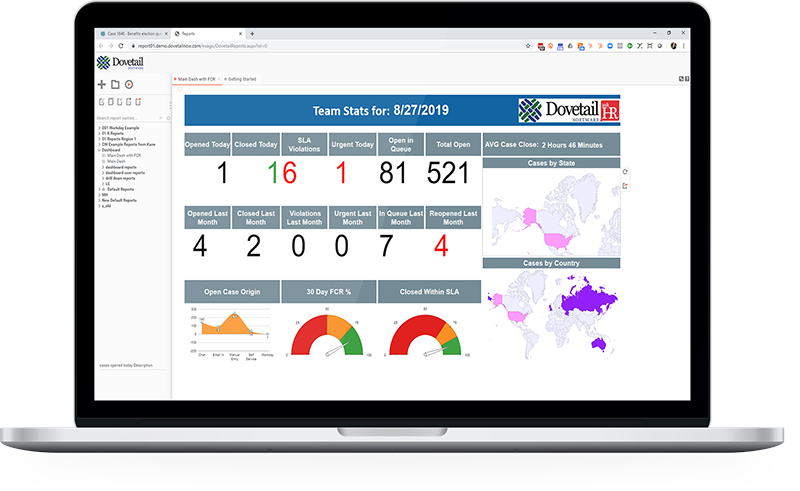
- Report on it, and stop arguing about resourcing from anecdote
Common questions
What is the difference between an HR help desk and an HR case management system?
In practice, none. HR help desk, HR ticketing system, HR service desk and HR case management describe the same thing: a system for capturing, routing, resolving and evidencing employee inquiries. What matters is whether it was built for HR or adapted from IT.
Can we use our IT service desk for HR?
You can, and many organisations start there. It breaks down on employee relations confidentiality, on HR-specific data models, and on change control, because every HR change queues behind an IT release process.
Do employees need to learn a new system?
No. They can email as they do today, use the employee portal, or ask in Microsoft Teams or Slack. All three land in the same queue with the same rules.
How do we handle sensitive cases?
Employee relations casework runs with case level restricted visibility, entirely separately from general HR volume, on the same platform.
How long does it take to replace a shared inbox?
The standard project framework is built around a 12 week timeline. A leading mutual insurer went live in around 6 weeks.
Show us your inbox
Bring the five questions your team answers most often and we will show you what happens to them.