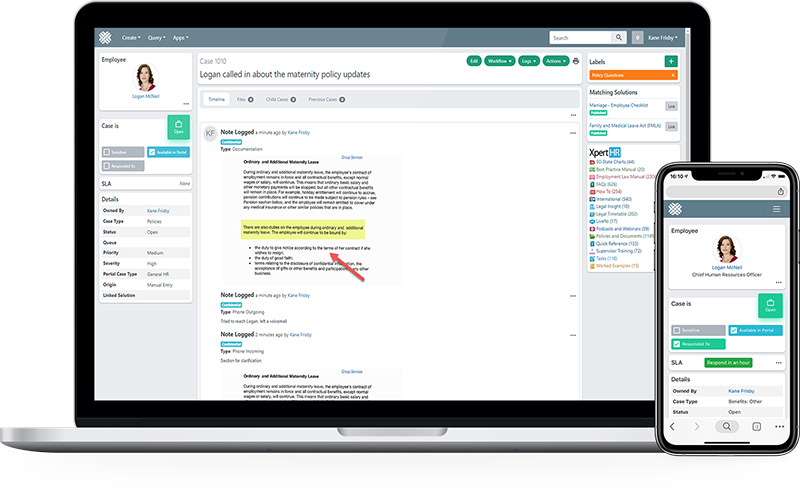
Reporting and Analytics
HR service delivery reporting your exec team will actually read
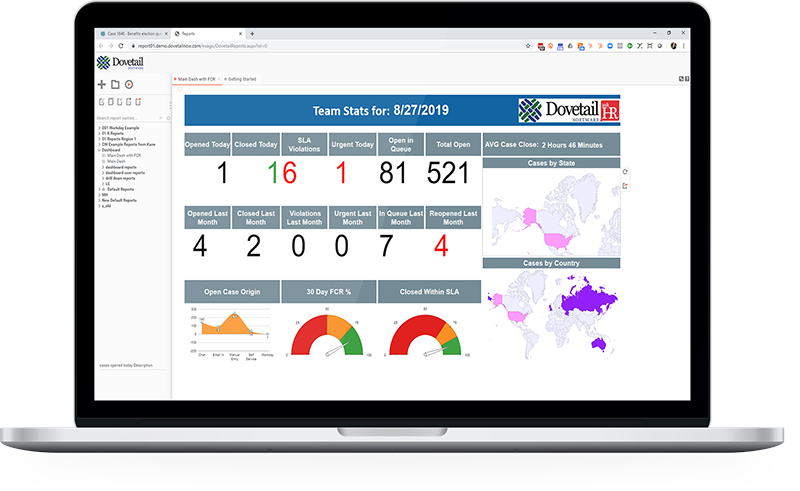
84 reports and dashboards ship configured on day one. When you outgrow them there is a report designer your HR team can use, and a REST API when you want the data in your own warehouse.
84
Reports and dashboards out of the box
Across cases, SLAs, employees, portal, solutions and system, configured before you start.
0
BI projects required
Ad hoc, crosstab and express reporting built for HR, not for a data team.
REST API
For your own warehouse
Versioned REST API with pagination and RFC 5988 Link headers, when Excel and PDF are not enough.
See it working
Watch the reporting built live
Standard dashboards, the report designer, and what actually lands in a leadership inbox.
Captions available. Ask us for a transcript.
What ships configured
84 reports across six areas
You are not starting from an empty report builder. These exist on day one and can be edited.
Cases
Cases by type, owner, origin, label, condition, month and site. Aging reports for open and closed. Initial response time. Parent and child case views. Redaction reporting.
30+ reports
SLAs
SLA violation status by owner and by type. Violation reports across all time, open and closed. The reports you defend the service model with.
6 reports
Dashboards
By department, by user and self-service. Plus filtered dashboard reports for cases opened, closed, reopened, in queue, urgent and SLA violated, for today and last month.
30+ views
Employees
Active employees by assigned filter, employees without sites, and the pending purge log for retention.
Retention ready
Portal and solutions
Reporting on portal usage and on knowledge solutions, so you can see what self service is actually absorbing.
Deflection
System
Configuration and system level reporting for the people who administer the platform.
Admin
When you outgrow the defaults
A report designer HR can actually use
Ad hoc, crosstab and express reporting, plus a query tool. Built so an HR operations analyst can answer a new question the same afternoon rather than raising a request with a data team.
- Report designer with security and permissions, so managers see only their own teams
- Scheduled distribution straight to leadership inboxes, no chasing
- Export to Word, Excel and PDF for board packs
- Smart dashboards personalised per role
Getting the data out
REST API when the reports are not the destination
If your reporting lives in a warehouse or a BI tool, the case data does not have to stay inside Dovetail. The API is versioned, authenticated, paginated, and documented.
- Versioned REST API at /api/v1/ over HTTPS
- HTTP basic authentication, with separate API accounts recommended rather than a shared user
- Pagination via per_page and page, with RFC 5988 Link and X-Total-Count headers
- Culture-specific display values returned for localised list fields
Common questions
How many reports do we get on day one?
84 reports and dashboards ship configured, across cases, SLAs, dashboards, employees, portal and solutions, and system administration.
Can HR build reports without IT or a BI team?
Yes. The report designer, ad hoc reporting, crosstab reporting and express reports are built for HR users. There is also a query tool for more technical users.
Can managers be restricted to their own teams?
Yes. Security and permissions apply to reporting, so managers see only the teams and sites they are entitled to see.
Can reports be scheduled and distributed automatically?
Yes, on a schedule, exported to Word, Excel or PDF.
Can we get the data into our own warehouse or BI tool?
Yes, through the versioned REST API. It is authenticated, paginated using per_page and page parameters, and returns RFC 5988 Link and X-Total-Count headers for iteration.
Can we report on SLA breaches specifically?
Yes. SLA violation status by owner and by type, and violation reports across all time, open cases and closed cases.
Bring the report your exec team keeps asking for
Tell us the question leadership asks that you cannot currently answer, and we will show you where it comes from.