









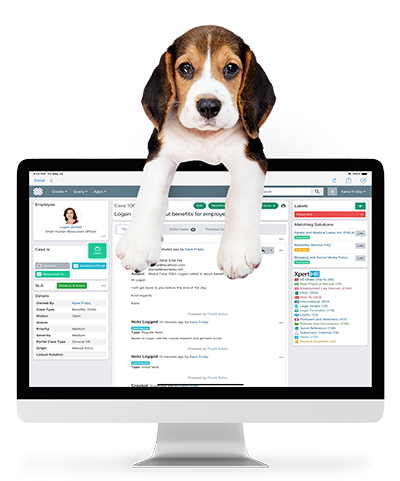
Today, addressing employee queries regarding retirement, pensions, and savings emerges as a paramount concern. These inquiries span across various categories including, but not limited to, pension estimates, retirement savings plan questions, 401(k) contributions, and pension payment issues. The diverse nature of these inquiries underscores the need for a versatile and comprehensive solution. Dovetail Software offers robust solutions through its HR Case Management and Employee Portal. This blog explores how Dovetail can transform the way companies manage these critical employee questions.
4 min read
Elevating Employee Retirement, Pension and Savings Support With Dovetail HR Case Management

6 min read
HR Case Management and Employee Portals for Enhanced Hiring and Onboarding

The journey from candidate to fully integrated employee is pivotal, setting the tone for an individual's experience within an organization. This critical phase, characterized by anticipation and adjustment, is where the strategic deployment of HR Case Management systems and Employee Portals can truly shine. These innovative tools not only help streamline the hiring and onboarding processes but also significantly enhance the overall employee experience. This blog post explores how leveraging these technologies can transform traditional HR practices, with a focus on various hiring and onboarding case types.
18 min read
Cybersecurity of HR Data: How to Protect HR and Employee Data Against Cyber Attacks

Cybersecurity has become critical in protecting HR data against rising cyberattacks. This is particularly evident in recent incidents such as the British Library's ransomware attack by the Rhysida gang, which led to potential HR data breaches. Similarly, Five Guys faced a significant data breach, exposing sensitive applicant information.
These incidents are part of a larger trend of increasing cyber threats, with a notable 8% rise in global weekly cyberattacks in the second quarter of 2023. These attacks are becoming more sophisticated, often employing advanced AI in conjunction with traditional methods.
In light of these challenges, companies are now prioritizing cyber defenses more than ever. A prime example of this shift is the adoption of solutions like Dovetail HR Service Delivery Software. Dovetail not only enhances HR operations and the employee experience but also strengthens the security of HR data. It achieves this through a comprehensive security approach, including cloud security, compliance, encryption, authentication, role-based authorization, data residency, and retention. These measures form a robust defense against various cyber threats, ensuring the safety and integrity of HR data in an increasingly risky digital environment.
Building on the importance of robust defenses in this challenging digital landscape, let's now delve into the specific cybersecurity measures in place to protect Dovetail HR Service Delivery Software customers from cyber attacks.
3 min read
How to Manage Leave of Absence Inquiries in an HR Case Management System

Managing leave of absence inquiries can be a challenging aspect of HR operations, particularly in larger organizations where such requests are frequent and diverse. From medical leaves to parental leaves or sabbaticals, each case has its nuances and complexities. Fortunately, HR Case Management Systems are proving to be game-changers in this domain, bringing efficiency, transparency, and compliance to the process. Let's delve into how these systems can transform the way organizations handle leave of absence inquiries.
4 min read
How to Streamline Job Change Requests With HR Case Management Software
Today, organizations must be agile and responsive to the needs and aspirations of their employees. One critical aspect of this is managing job change requests effectively. Whether initiated by employees or managers, job change requests can significantly impact employee satisfaction, productivity, and retention. To ensure a smooth and efficient process, many HR departments turn to HR case management software. In this blog post, we will explore how HR case management software can help you manage job change requests seamlessly and optimize your HR processes for success.
22 min read
Termination of Employment Requests: Effective Handling and Support
Termination of employment, whether due to organizational changes or personal choices, remains a challenging landscape for HR professionals to navigate. Ensuring that every termination of employment is managed with precision, understanding, and clarity is paramount. With the advent of HR Case Management systems, the approach to handling termination scenarios has been revolutionized. This discussion will highlight how an HR Case Management system has become invaluable for managing termination of employment requests, ensuring not only administrative efficiency but also fostering a transparent and fair environment for all parties involved.
5 min read
Employee Experience Software: HR Case Management and Employee Portal
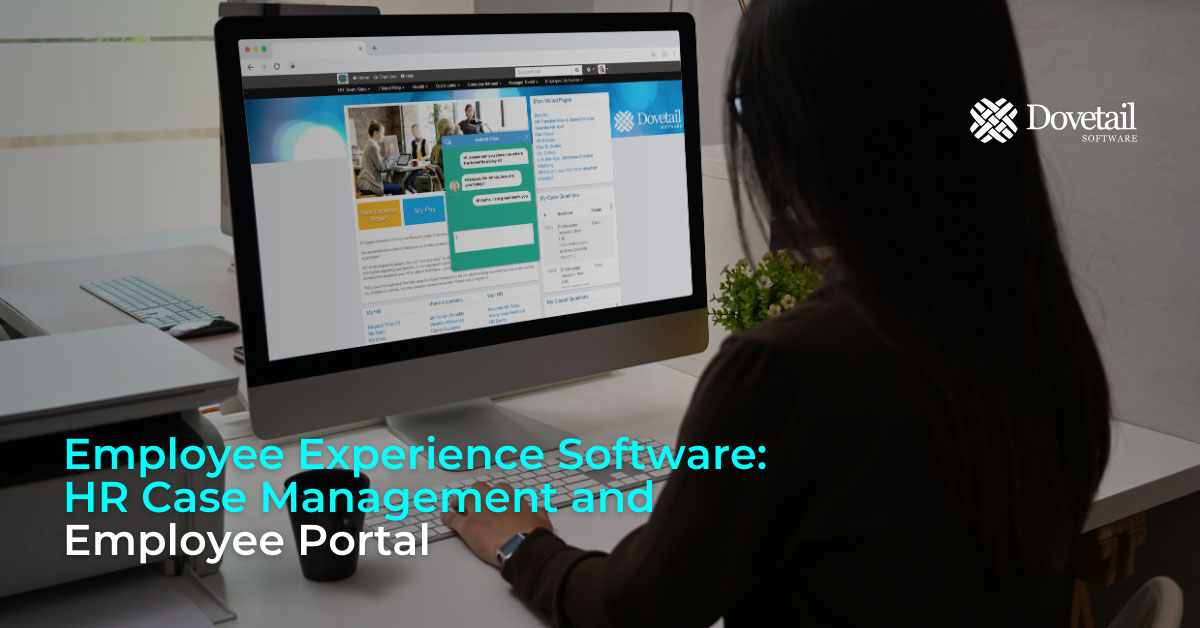
Digital Transformation of the Employee Experience
In the ever-evolving landscape of modern workplaces, the integration of powerful employee experience software is revolutionizing how businesses operate. As HR professionals strive to create a seamless, engaging, and productive environment, tools like HR Case Management and Employee Portal are emerging as game-changers, setting new standards in employee engagement and operational efficiency.
Employee Experience (EX) software solutions are not just technological tools; they are a strategic investment. By refining every touchpoint throughout the Employee Lifecycle, from recruitment to retirement, EX software helps ensure that employees are not just working but thriving. Progressive companies that integrate employee experience software find themselves at the forefront of workplace innovation, offering unparalleled experiences to their workforce.
Two types of employee experience software that are revolutionizing the HR space are HR Case Management and Employee Portal.
4 min read
HR Case Management Software: Select the Right System
Introducing HR Case Management Software
In today's fast-paced business environment, HR professionals face the ever-growing challenge of efficiently managing a multitude of employee-related tasks. From addressing workplace issues and employee inquiries to handling benefits and leave requests, the demands on HR departments can be overwhelming. To meet these challenges head-on and elevate the overall employee experience, HR professionals are turning to HR Case Management software. In this blog, we will explore how this software can optimize HR operations, streamline processes, and enhance the employee experience.
3 min read
What Are the Benefits of HR Case Management?
If you have been wondering what are the benefits of HR Case Management, you have come to the right place. In this blog post we will detail what the benefits of HR Case Management are and provide a case study example to bring the benefits to life.
Benefits of HR Case Management
1. Streamlined Issue Resolution
A key benefit of HR Case Management is that it facilitates the centralization of all employee-related issues. HR professionals can track, manage, and resolve cases such as grievances, complaints, or requests from a single platform. This streamlines the process, reducing response times and minimizing the risk of issues falling through the cracks. HR Case Management ensures that each case is addressed promptly, fostering a positive workplace environment.
3 min read
What is HR Case Management Software?

HR Case Management software is a cutting-edge digital solution tailored to the unique needs of HR departments in organizations of all sizes. This sophisticated HR Case Management Software efficiently manages and tracks a diverse range of HR-related cases, inquiries, and requests, serving as a centralized platform to streamline operations and ensure compliance with company policies and relevant regulations.
View this short video to discover the power of HR Case Management.